PDF Layout Studio
User guide
The layout studio is intended for the creation of PDF style sheets and their configuration by the user in complete autonomy.
1. To access the PDF Layout Studio
The PDF studio is accessed by opening an existing style sheet or by creating a new style sheet. These actions are available from two menus in the interface.
1.1. Style Sheets Menu
To access the menu :
In your workspace, in the drop-down menu with the content types, click .
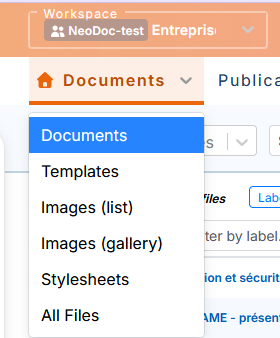
Style sheets are stored in the language by default. When selecting this type of content, the menu automatically changes to Common and remains hidden.
![[Note]](cco-note.svg)
It is possible to create a style sheet in a particular language, in order to perform specific settings that respect the constraints of this language.
The menu contains all the style sheets available for this workspace:
style sheets created by the Calenco development team (dark blue color for their label and filename);
Style sheets created in the PDF Layout Studio (bright blue color for their label and file name).
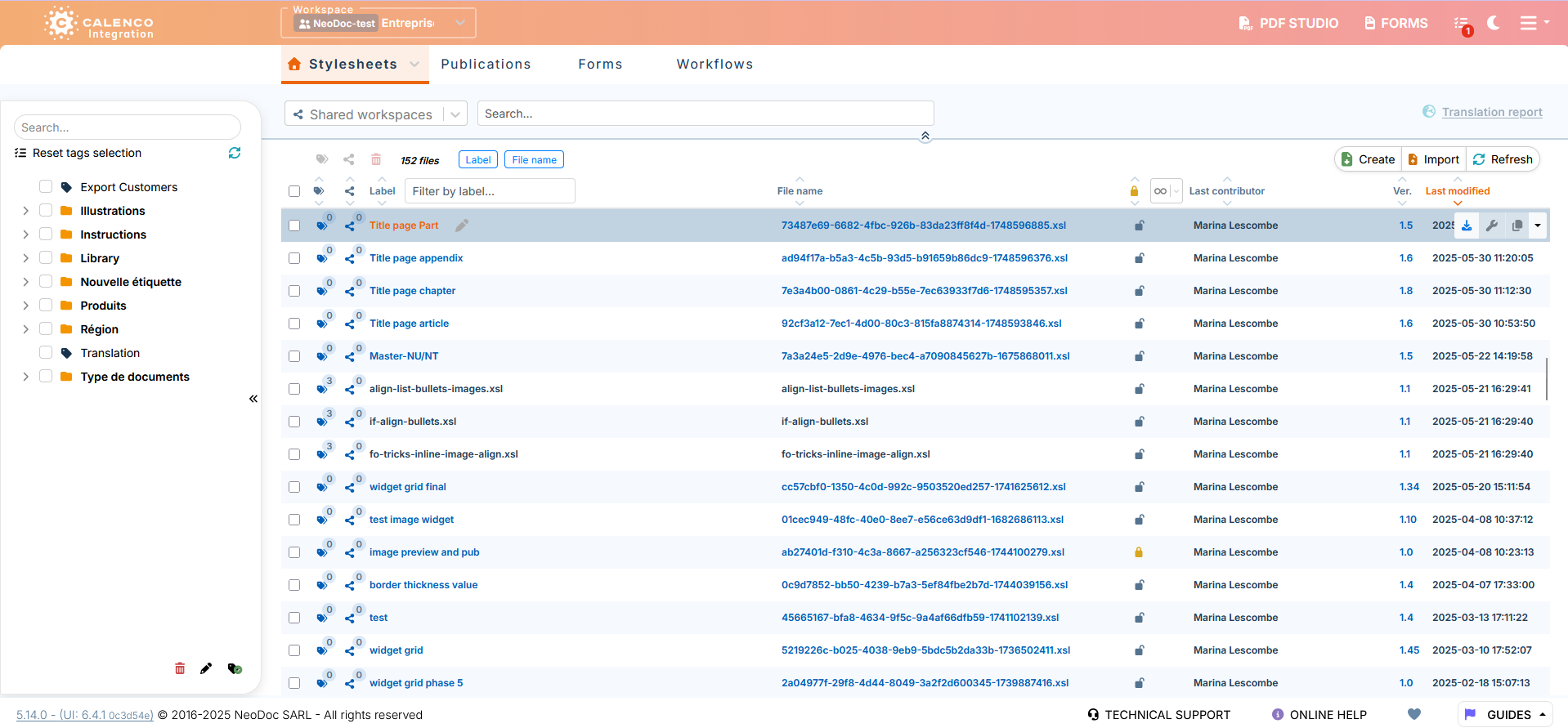
The menu allows you to manage style sheets using the following features:
classify with tags;
share with other spaces and view those shared with that space;
sort by Locked status and unlock;
export and import;
view version history;
consult their use;
delete.
To create a style sheet, click
 Create.
A new Calenco PDF Studio tab opens for style sheet settings.
To open a stylesheet created in the PDF studio, click its label or name.
A new Calenco PDF Studio tab opens for changing the style sheet settings.
![[Important]](cco-important.svg)
Each opening or creation of a style sheet is equal to a session of the PDF studio specific to each style sheet.
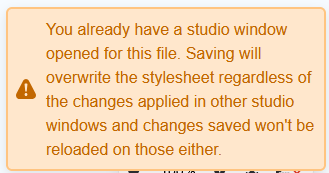
The same file cannot be opened in different windows by the same user. This action is indicated by the following notification:
1.2. PDF Studio Menu
The menu , under the  located at the top right in the Calenco interface, allows:
access the list of style sheets for all user-accessible spaces;
open a style sheet for editing;
create a new style sheet.
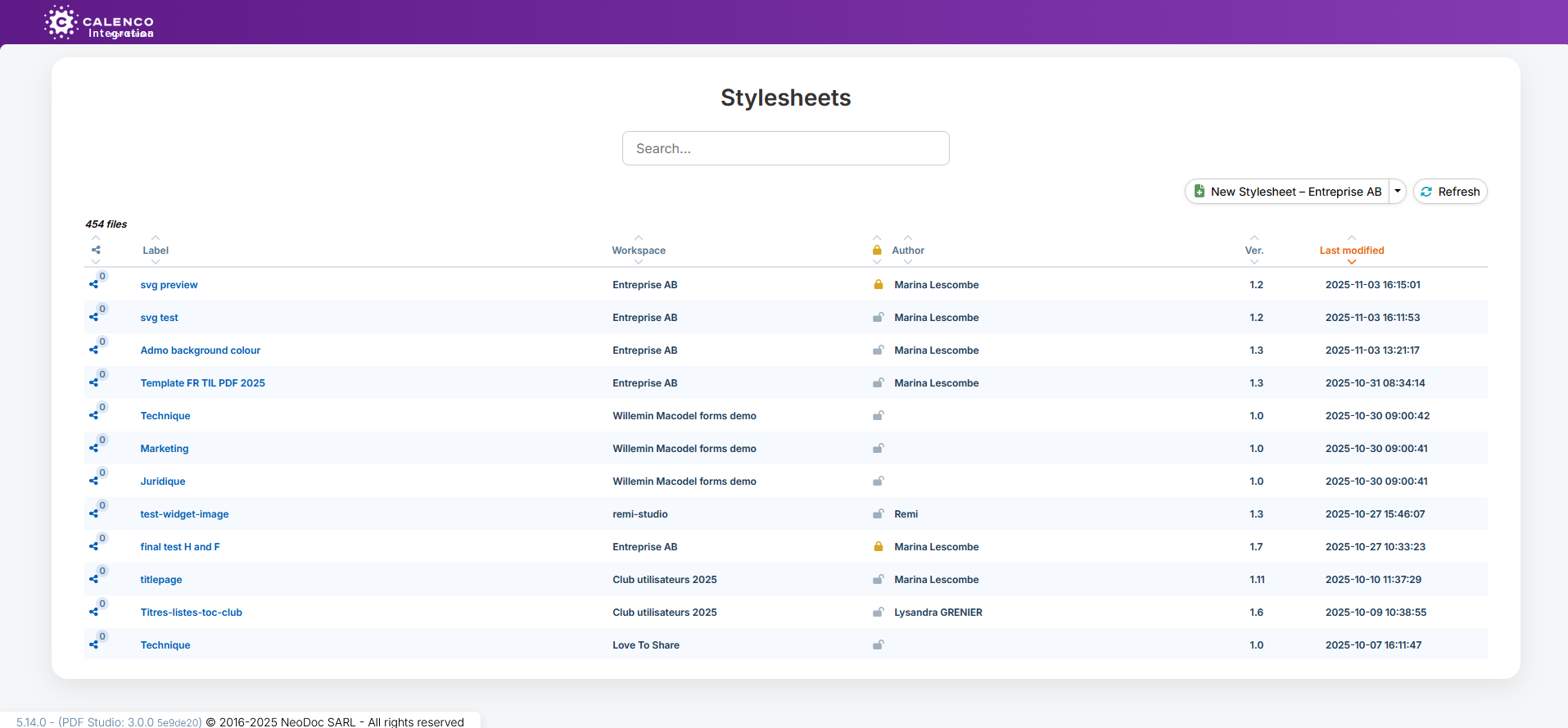
| |
Use the menu for managing style sheets (see Style Sheets Menu). |
To create a style sheet in the current space, click
New Style Sheet - [Current Space Name].The Calenco PDF Studio opens for style sheet settings.
To create a style sheet in another workspace, click the arrow to the right of the button
New Style Sheet - [Current Space Name].The Calenco PDF Studio opens for style sheet settings.
To open a style sheet, click its label or name.
The Calenco PDF Studio opens to change the style sheet settings.
Each opening or creation of a style sheet is equal to a session of the PDF studio specific to each style sheet.
The same file cannot be opened in different windows by the same user. This action is indicated by the following notification: