2. Setting up a style sheet
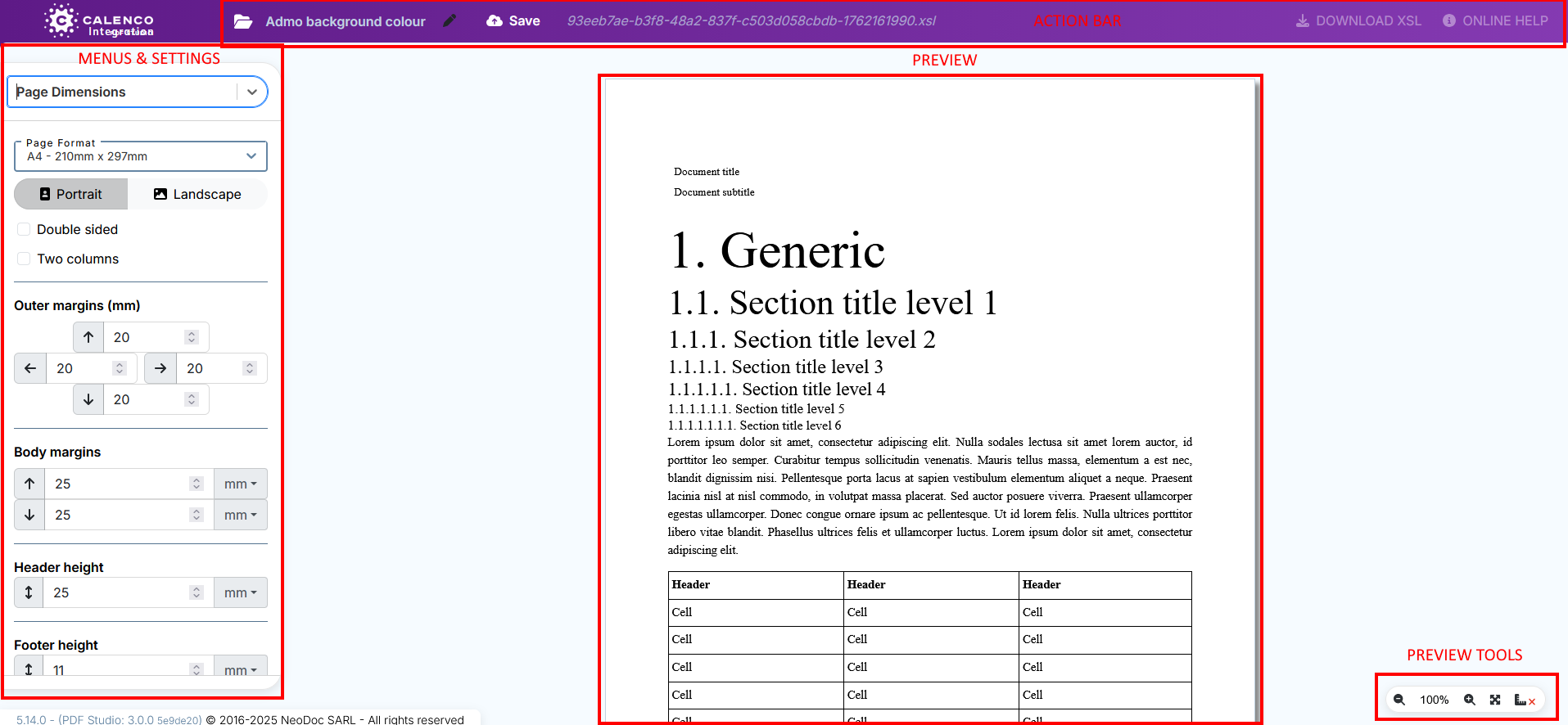
The layout studio is made up of four areas:
Action bar
Like all Calenco content, style sheets have two names (see more information on Naming contents):
The technical name is created by default.
The label is personalized and can be changed at any time.
![[Important]](cco-important.svg)
The style sheet is created in Calenco when it is first saved.
The updated label is visible in the definition of existing publications using the stylesheet.
Click  to return to the Calenco PDF Studio menu with the style sheet list.
Click on  to the right of the action bar, to download the style sheet directly from the studio.
Click  to consult Calenco online help.
Menus and settings
All the elements of a document that can be configured with the studio are organized into three main menus.
General (see General) ;
Title pages (see Title pages) ;
Page body (see Page body).
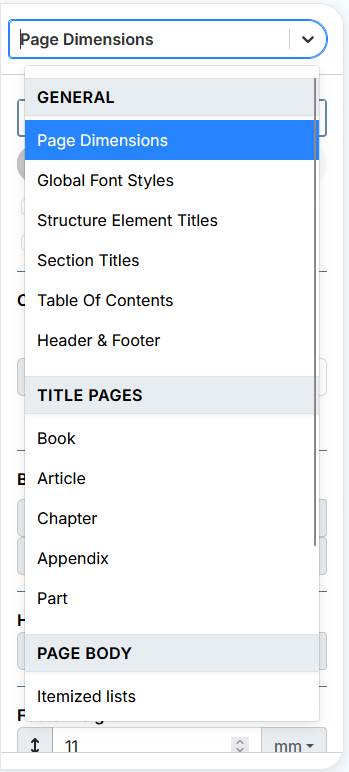
A parameter editor is associated with each sub-menu.
![[Note]](cco-note.svg) | |
The Title page submenus and the Header and footer submenu contain an additional panel for widget management (see Editing from the Widget List panel). |
Preview
The preview area instantly displays the changes made.
Preview tools
Preview tools allow you to:
zoom in / out the preview area,
![[Tip]](cco-tip.svg)
Click in the zoom value field to enter the desired value.
show/hide the page body area and headers and footers.